Mike Dorian Ford Inc

Directions Service

Ford SYNC-4

In an era where connectivity and convenience define the driving experience, Ford SYNC 4 stands at the forefront, revolutionizing how drivers interact with their vehicles. This next-generation infotainment system offers seamless smartphone integration, real-time updates, and advanced voice control, all designed to enhance your journey on the road. Whether you're navigating through city streets or embarking on a long-distance adventure, SYNC 4 ensures that everything you need is at your fingertips, delivered through a sleek and intuitive interface.

With a design rooted in simplicity and functionality, SYNC 4 takes the beloved features of SYNC 3 and elevates them with cutting-edge technology. From effortless cordless smartphone pairing to the convenience of over-the-air updates, Ford SYNC 4 is engineered to keep you connected and in control, all while delivering a personalized experience tailored to your driving habits and preferences. Explore the future of in-car technology with SYNC 4, now available in a wide range of Ford models at Dorian Ford in Clinton Twp, MI.

Overview of SYNC 4 Key Features

Here’s a quick overview of SYNC 4’s standout features:

  • User Interface: Clean, intuitive layout with easy access to functions.
  • Voice Control: Advanced voice recognition through Apple CarPlay and Android Auto, with even more natural commands in SYNC 4A.
  • Connectivity: Wireless smartphone integration, dual Bluetooth connections, and cloud-based navigation with real-time updates.
  • Over-the-Air Updates: Ensures your system stays current with the latest features and improvements.
  • Screen Options: Available in sizes ranging from 8 to 15.5 inches, with customizable layouts.

In-Depth Features of Ford SYNC 4

User Interface and Design

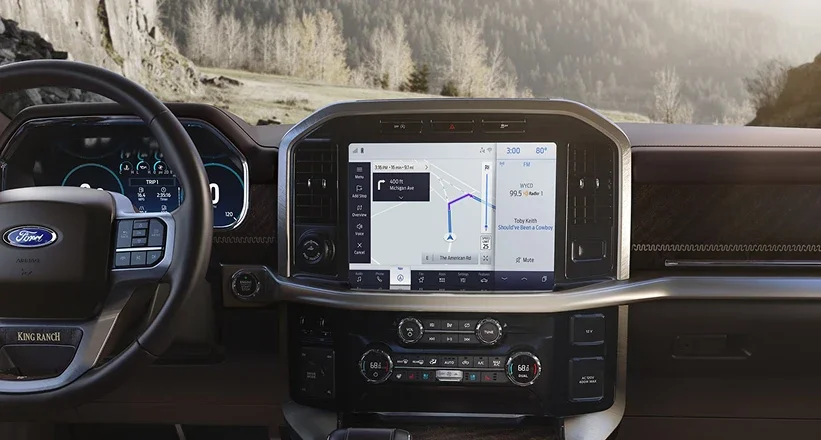
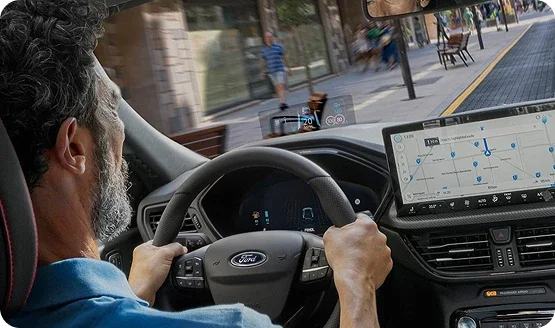
Ford SYNC 4 builds upon the user-friendly foundation of SYNC 3, offering a clean and intuitive layout that makes accessing your vehicle’s features easier than ever. With three selectable zones, the SYNC 4 interface is designed for seamless operation, whether you’re controlling music, navigation, or communication. The lower menu bar is always accessible, allowing you to switch between functions with ease, while the upper status bar provides real-time information, such as time, temperature, and important system notifications.

The SYNC 4 system is available in various screen sizes, from 8 inches to an expansive 15.5 inches. This user-centric approach ensures that whether you’re a tech-savvy driver or someone who prefers straightforward controls, SYNC 4 will meet your needs.
Voice Control

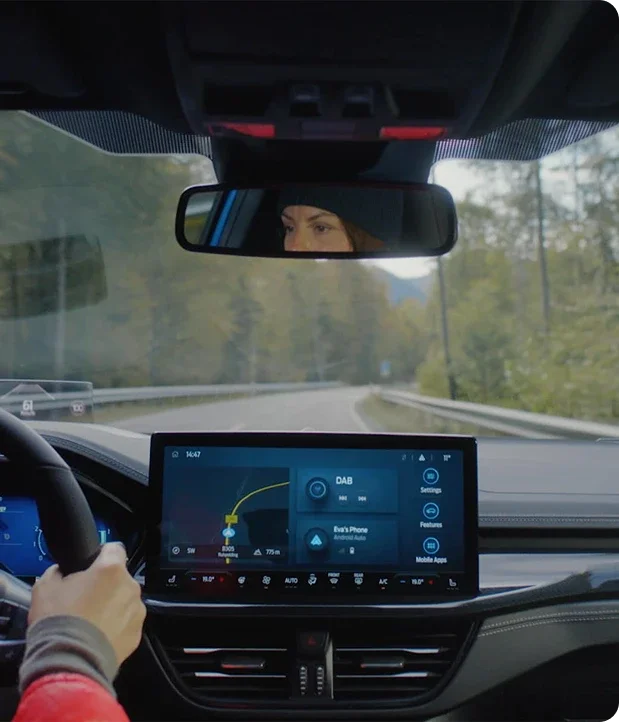
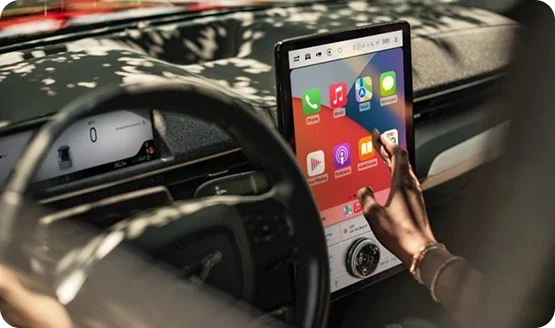
One of the standout features of SYNC 4 is its advanced voice control system, designed to keep your hands on the wheel and your focus on the road. Through seamless integration with Apple CarPlay and Android Auto, SYNC 4 allows you to control your smartphone’s functions—such as navigation, music playback, and messaging—entirely by voice. This means you can ask for directions, send a text, or play your favorite song without ever touching your phone.

For those seeking even more advanced capabilities, SYNC 4 offers Enhanced Voice Recognition in its SYNC 4A variant. This feature enables conversational voice commands that feel more natural and responsive. Whether you’re searching for a nearby coffee shop, adjusting climate settings, or scheduling an appointment, Enhanced Voice Recognition allows you to interact with your vehicle in a way that’s as intuitive as talking to a friend.
Connectivity

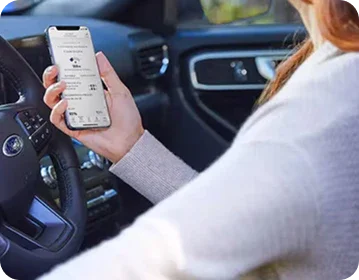
In a world where staying connected is more important than ever, SYNC 4 ensures that your digital life travels with you. The system supports cordless smartphone pairing, enabling you to connect your phone via Bluetooth without the need for cables. SYNC 4 also offers the ability to connect two phones simultaneously, making it easy to switch between devices for calls, messages, and music streaming.

But connectivity with SYNC 4 goes beyond just your phone. The system is equipped with cloud-based navigation services that provide real-time updates on traffic, weather, and road conditions. This ensures that you’re always informed and can adapt to changing conditions on the fly. And with the ability to receive over-the-air updates, your SYNC 4 system stays current with the latest software enhancements and features, all without the need to visit a dealership.


Versatile Screen Sizes

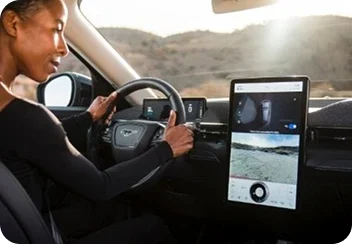
SYNC 4 is available in several screen sizes, ranging from a standard 8-inch display to an impressive 15.5-inch touchscreen. The smaller screens are perfect for drivers who appreciate a more minimalist setup, while the larger displays provide an immersive experience that makes interacting with the system's features even more intuitive. No matter the size, each screen offers sharp, clear visuals that make it easy to navigate through menus, access information, and enjoy your favorite media.

Customizable Layout

Beyond the variety of sizes, SYNC 4’s screen layout is customizable to suit your preferences. The interface allows you to prioritize the features you use most, whether that’s navigation, music, or climate control. With SYNC 4A, Ford takes customization even further with Dash Cards—small, easily accessible icons that reflect your most recent apps and settings. This innovative design helps you quickly switch between tasks without losing focus on the road.

Enhanced Visibility

The high-resolution displays of SYNC 4 are designed for optimal visibility, even in bright sunlight or nighttime driving conditions. The screens are strategically positioned within the vehicle’s interior to minimize glare and provide clear sightlines from any angle. This ensures that critical information is always easy to see and interact with, regardless of the driving conditions.

User-Friendly Interaction

SYNC 4’s touchscreens are not just larger; they’re smarter. The responsive touch technology allows for smooth scrolling and quick access to controls, making it easier to interact with the system while on the move. Whether you’re zooming in on a map, adjusting audio settings, or selecting a different playlist, the interface responds instantly to your touch, enhancing both safety and convenience.

Advanced Features

Ford SYNC 4 goes beyond just being an infotainment system; it’s a smart, adaptive platform that continually evolves to meet the needs of modern drivers. Here’s how SYNC 4’s advanced features enhance your driving experience:

Enhanced Voice Recognition

With SYNC 4A, Ford introduces a new level of interaction through Enhanced Voice Recognition. This feature allows for natural, conversational commands that make it easier to control your vehicle without taking your hands off the wheel. Whether you’re adjusting the temperature, finding the nearest gas station, or setting a destination, SYNC 4A understands your commands and responds quickly. The system's ability to recognize and adapt to your voice patterns ensures that your instructions are executed accurately every time.

Over-the-Air Updates

One of the most innovative features of SYNC 4 is its ability to receive over-the-air (OTA) updates. These updates ensure that your SYNC 4 system is always running the latest software without the need to visit a dealership. From new features to performance enhancements, updates are delivered directly to your vehicle, keeping your technology current and your driving experience smooth. Most updates take less than two minutes and can be scheduled for times that are most convenient for you, such as overnight.
Digital Owner’s Manual

Gone are the days of thumbing through a bulky owner’s manual. SYNC 4 offers a Digital Owner’s Manual that’s not only easy to access but also cloud-connected for real-time updates. This manual is searchable by keyword and organized with clickable features, making it simple to find the information you need. Whether you’re learning how to use a feature for the first time or troubleshooting an issue, the Digital Owner’s Manual provides clear, step-by-step instructions and even includes video tutorials for more complex operations.

Dash Cards and Customization

SYNC 4A introduces Dash Cards, a unique feature that provides a personalized and streamlined user experience. Dash Cards reflect your most recently used apps and settings, allowing you to switch between them quickly. This feature minimizes distractions by keeping your most important functions easily accessible, whether it’s adjusting the climate controls or selecting a favorite playlist.

Connected Navigation Services

SYNC 4’s connected navigation services go beyond basic directions. By integrating cloud-based connectivity, the system provides real-time updates on traffic, weather, construction zones, and even parking availability. This ensures that you’re always informed and can make adjustments to your route as needed. For electric vehicles, SYNC 4’s navigation includes plug-in information, helping you find charging stations along your journey.

Model Availability

Ford SYNC 4 is available across a wide range of Ford vehicles, offering drivers advanced technology no matter their choice of model. Whether you’re looking for a compact SUV, a rugged truck, or a versatile crossover, there’s a Ford vehicle equipped with SYNC 4 to match your lifestyle. Here’s a breakdown of model availability:

Model SYNC 4 Availability
2025 Mustang Mach-E Standard
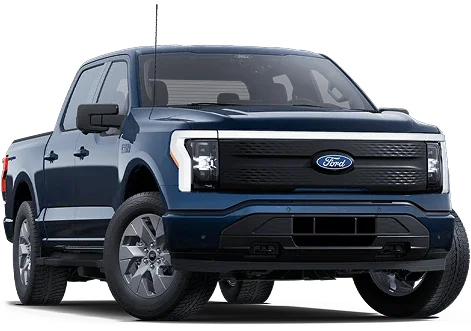
2025 F-150 Lightning Standard
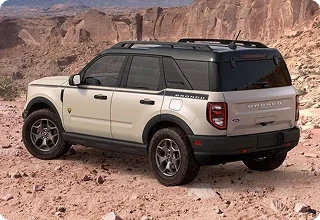
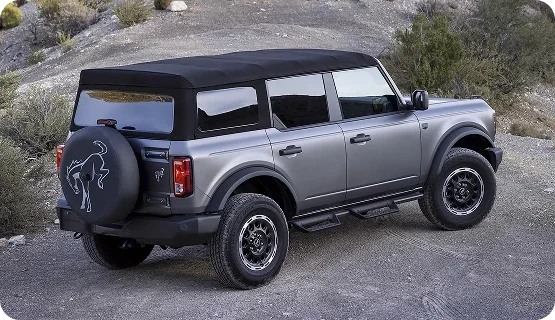
2025 Bronco Standard
2025 Expedition Standard
2025 F-150 Standard
2025 Ranger Standard
2025 Super Duty Standard

Explore SYNC 4 Across Ford’s Lineup

No matter which model you choose, SYNC 4 ensures you’re driving with the latest in automotive technology. Each vehicle’s version of SYNC 4 is tailored to its design and functionality, ensuring an experience that feels both intuitive and uniquely Ford. Whether you need the powerful capabilities of a Super Duty or the city-smart efficiency of the Escape, SYNC 4 is there to keep you connected and in control.

Technical Requirements

To fully enjoy the advanced features of Ford SYNC 4, it’s essential to ensure that your devices and vehicle are compatible with the system. Here’s a breakdown of the technical requirements and recommendations:

Smartphone Compatibility

SYNC 4 is designed to work seamlessly with modern smartphones, ensuring that you can access all the features without any hassle. Here are the key compatibility details:

Apple Devices:

  • SYNC 4 is compatible with Apple iPhones running iOS 16.0 or newer. This includes seamless integration with Apple CarPlay, allowing you to control apps, music, navigation, and more directly from the SYNC 4 touchscreen or through voice commands.
  • Apple CarPlay®: Wireless connection is supported, enabling you to connect your iPhone without needing a cable, keeping your digital life integrated while driving.

Android Devices:

  • SYNC 4 is compatible with smartphones running Android OS 9.0 or newer. Android Auto functionality allows for similar integration, enabling hands-free control of apps and features directly through the SYNC 4 system.
  • Android Auto™: Like Apple CarPlay, Android Auto can connect wirelessly, offering a cord-free experience and easy access to your favorite apps and services.

FordPass Connect Activation

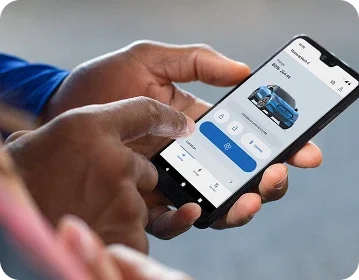
To take full advantage of SYNC 4’s connectivity features, such as cloud-based services and over-the-air updates, your vehicle needs to be equipped with FordPass Connect, and the service must be fully activated. This activation unlocks a range of features, including:

  • Remote Start: Start your vehicle from your smartphone, ensuring it’s ready to go when you are.
  • Vehicle Locator: Find your vehicle in crowded parking areas with ease.
  • Real-Time Alerts: Receive notifications about vehicle health, maintenance reminders, and more directly on your smartphone.

Software Updates and Over-the-Air Capabilities

SYNC 4 is built to evolve, with over-the-air updates ensuring your system is always up to date with the latest features and improvements. These updates require a stable internet connection via Wi-Fi or mobile data. The process is designed to be seamless and can be scheduled at times that are convenient for you, minimizing disruption to your driving experience.

Minimum Requirements for Updates:

  • Ensure your vehicle is connected to a Wi-Fi network or has an active mobile data connection.
  • Updates typically take less than two minutes and can be scheduled to occur automatically when the vehicle is not in use.

Wondering if your device is compatible? Visit our Compatibility Checker to ensure your smartphone and FordPass Connect are ready to unlock all the features of SYNC 4. If you need help with setup or activation, our team at Dorian Ford is here to assist you every step of the way.

Take the Next Step with Ford SYNC 4

Experience the cutting-edge technology of Ford SYNC 4 and transform your driving journey. Whether you're interested in the latest models equipped with this advanced system or need assistance with setup and features, Dorian Ford in Clinton Twp, MI, is here to guide you every step of the way.

Explore SYNC 4 Across Our Ford Lineup

Discover how Ford SYNC 4 can enhance your driving experience by scheduling a test drive with one of our new vehicles. From the versatile Escape to the powerful F-150, see firsthand how SYNC 4’s features can make every trip more connected and convenient.

Dive Deeper into SYNC 4 Features

Still curious about what SYNC 4 can do? Our expert team is ready to provide detailed insights into every feature, from Enhanced Voice Recognition to cloud-based navigation. Let us help you get the most out of your SYNC 4 system.

Flexible Financing Solutions

Driving a new Ford with SYNC 4 is easier than you think with our range of flexible financing options. Whether you’re looking to lease or purchase, our finance team is here to help you find a plan that fits your budget.

Visit Dorian Ford

Conveniently located in Clinton Twp, MI, Dorian Ford is your destination for the latest Ford models equipped with SYNC 4. Come in to explore our extensive inventory, meet our knowledgeable team, and find the perfect Ford to elevate your driving experience.

Experience the Future Today

Don’t wait to drive the future—Ford SYNC 4 is available now at Dorian Ford. We look forward to helping you enhance your driving experience with this state-of-the-art technology.

Frequently Asked Questions About Ford SYNC 4

To help you get the most out of your Ford SYNC 4 experience, we've compiled answers to some of the most frequently asked questions. Whether you're setting up your system for the first time or troubleshooting an issue, this section has you covered.

How do I connect my smartphone to SYNC 4?

Connecting your smartphone to SYNC 4 is simple and can be done wirelessly. For Apple users, ensure your iPhone is running iOS 16.0 or newer, and for Android users, your device should have Android OS 9.0 or newer. Enable Bluetooth on your phone, then follow the prompts on the SYNC 4 screen to pair your device. Once connected, you can access Apple CarPlay or Android Auto to use your favorite apps, navigation, and more, directly from the touchscreen.

What are over-the-air (OTA) updates, and how do they work?

Over-the-air updates allow SYNC 4 to receive the latest software enhancements and features without requiring a visit to the dealership. These updates are delivered via Wi-Fi or mobile data and usually take less than two minutes. You can schedule updates to occur automatically when your vehicle is not in use, ensuring your system is always up to date.

Can I use voice commands without Apple CarPlay or Android Auto?

SYNC 4 includes basic voice command functionality, but for more advanced, conversational voice commands, your vehicle must be equipped with SYNC 4 with Enhanced Voice Recognition. This feature allows you to control various aspects of your vehicle, such as navigation, climate settings, and media playback, simply by speaking to the system.

Is it possible to connect more than one phone to SYNC 4?

Yes, SYNC 4 supports dual Bluetooth connections, allowing you to pair two phones simultaneously. You can alternate between the two phones for making calls, sending messages, or playing music. However, please note that actions like calling or texting cannot be performed on both phones at the same time.

What happens if my SYNC 4 system encounters an issue?

If you experience any issues with SYNC 4, the first step is to check for any available software updates, which may resolve the problem. If the issue persists, you can refer to the Digital Owner’s Manual within SYNC 4 for troubleshooting tips or contact our customer support team at Dorian Ford for further assistance.

How do I access the Digital Owner’s Manual?

The Digital Owner’s Manual is integrated into the SYNC 4 system and can be accessed directly from the touchscreen. It is searchable by keyword, making it easy to find the information you need. The manual includes visual aids and video tutorials for more complex features, helping you get the most out of your vehicle.

How do I perform a software update on SYNC 4?

To manually check for and install software updates on SYNC 4, go to the "Settings" menu on your SYNC 4 touchscreen, then select "System Updates." If an update is available, you can choose to install it immediately or schedule it for a later time. Ensure your vehicle is connected to a Wi-Fi network or has an active mobile data connection during the update process.

Can SYNC 4’s navigation system provide real-time traffic information?

Yes, SYNC 4’s navigation system is cloud-connected and provides real-time traffic updates, weather conditions, and road construction alerts. This feature helps you plan your route more effectively and avoid delays. The system also includes parking availability information for select locations, making your driving experience smoother and more informed.

Is there a subscription fee for using SYNC 4’s connected services?

Some of SYNC 4’s connected services, such as cloud-based navigation, may require a subscription after an initial trial period. The duration of the complimentary service varies by model and feature. FordPass Connect services, including remote start and vehicle locator, also require activation and may involve a subscription after a certain period.

What is the Ford Assistant in SYNC 4A, and how does it work?

The Ford Assistant in SYNC 4A is an advanced voice recognition feature that allows you to use conversational commands to control your vehicle. It can handle tasks like setting destinations, adjusting climate controls, or playing music, all through natural speech. The Ford Assistant adapts to your voice over time, improving accuracy and responsiveness the more you use it.

How can I reset my SYNC 4 system if it’s not responding?

If your SYNC 4 system is not responding or experiencing issues, you can perform a soft reset by pressing and holding the power button on the audio unit (or the volume and seek buttons simultaneously) until the screen turns off and the Ford logo appears. This process usually takes about 10 seconds. If issues persist, you may need to contact your dealership for further assistance.