
Connect to Your Ford with the Ford™ App
What is the Ford App?
The Ford™ App is your all-in-one mobile command center for managing your Ford vehicle. Designed to make ownership smarter, more connected, and more rewarding, the Ford app puts key vehicle functions and service tools right in your pocket.
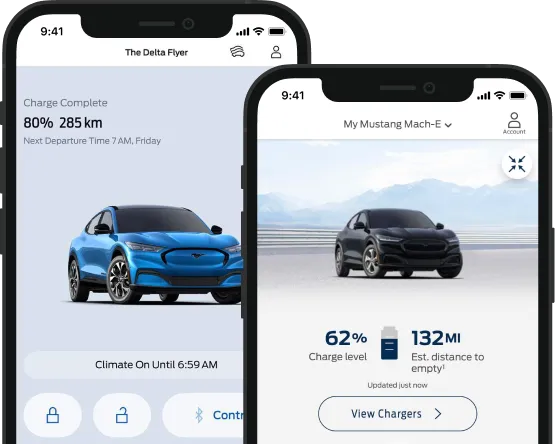
Available for download on both iOS and Android,
the app allows you to:
- Remote start and stop your vehicle
- Lock and unlock doors from anywhere
- Track your vehicle’s location
- Monitor fuel levels, oil life, and tire pressure
- Schedule Ford Service appointments
- Earn and redeem Ford Rewards points
When paired with a vehicle equipped with an activated connected modem, the app offers even more functionality, allowing for seamless control and real-time updates about your vehicle’s condition.
Whether you're managing daily driving needs or staying ahead of maintenance, the Ford app helps you stay connected to your vehicle, wherever life takes you.
Looking to schedule service or order accessories? Explore the Dorian Ford Service Department or Order Genuine Ford Parts & Accessories online from us.
Remote Control From Anywhere

With the Ford™ App, your phone becomes the command center for your vehicle. Designed to bring modern convenience to everyday driving, it lets you take control no matter where you are, at home, at work, or on the go.
If your vehicle is equipped with a connected modem, you can start or stop your engine remotely, lock and unlock the doors with a tap, and even schedule remote starts for specific times. You’ll also be able to locate your parked Ford using built-in GPS, and view real-time updates like fuel level, oil life, and tire pressure right from your screen.
These remote access features are ideal for cold Michigan mornings, busy schedules, or simply the peace of mind that comes with knowing your vehicle is secure and running smoothly. You’ll always stay informed and in control, without stepping outside.
The Ford app's remote features pair perfectly with services like Ford Pickup & Delivery Service, Ford Mobile Service, and scheduled care through our Dorian Service & Maintenance team, making your entire ownership experience seamless and connected.
Note: Remote features are available on select models equipped with an activated connected modem.
Earn Ford Rewards With Dorian Ford
The Ford™ Rewards Program makes it easy to turn routine vehicle care into real savings. Whether you’re scheduling service, buying parts, or upgrading your vehicle, Ford Rewards gives you points that add up fast, and they’re automatically tracked in your app.
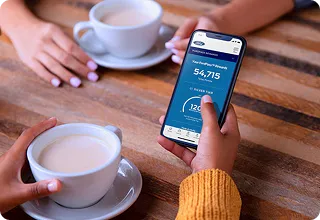
Here’s how it works:
- Earn points every time you service your vehicle at Dorian Ford
- Get rewarded for purchasing Motorcraft® parts, Ford accessories, or even a new Ford vehicle
- Redeem points for discounts on future service, parts, or accessories
There’s no extra signup required, just use the Ford app and your rewards are added automatically. Your balance updates in real time, so you always know how many points you’ve earned and what you can save on next. Note: Points now expire after 18 months of inactivity.
Use your points toward repairs, maintenance, or upgrades by browsing our Service & Parts Specials or shopping online through our Order Parts page.

Track Service History & Get Maintenance Alerts
Staying on top of your vehicle’s maintenance has never been easier. The Ford™ App helps you track your service history, manage routine care, and receive timely alerts, all from your phone.
Whether you’re maintaining your Ford or another vehicle, the Ford app helps you stay organized.
For tips on how to protect your car’s condition between visits, explore our Proper Vehicle Care page. You can also schedule your next appointment through Dorian Service & Maintenance to keep everything on track.
With the Ford app, you can:
- View a detailed log of past service visits, including oil changes, tire rotations, brake work, and more
- See when your last service was performed and what’s due next
- Get automated reminders for upcoming maintenance like fluid checks, inspections, and filter replacements
- Track open recalls or warranty items
Find Your Vehicle & Locate Services
Ever forget where you parked? The Ford™ App makes that a thing of the past. With built-in GPS technology, you can locate your Ford instantly, right from your phone.
Whether you’re navigating a busy parking lot or checking on your vehicle from across town, the app gives you peace of mind and control.
Looking for contactless service options? Use the app to request Pickup / Delivery / Mobile Service or start your Service Appointment Request online, then let us do the driving.
The Ford app goes beyond tracking, it keeps you connected to your vehicle and to Dorian Ford, wherever you go.
The Ford app also helps you:
- Find your vehicle’s exact location using real-time GPS
- Locate nearby Ford dealerships for service and support
- Get directions to fuel stations, EV charging points (BlueOval™ Charge Network), or service centers
- Schedule maintenance appointments through the app in just a few taps

Electric Vehicle (EV) Tools & Charging Support
For Ford EV owners, the Ford™ App is an essential tool for staying connected and in control, whether you’re charging at home, planning a long-distance trip, or checking your battery range on the go.
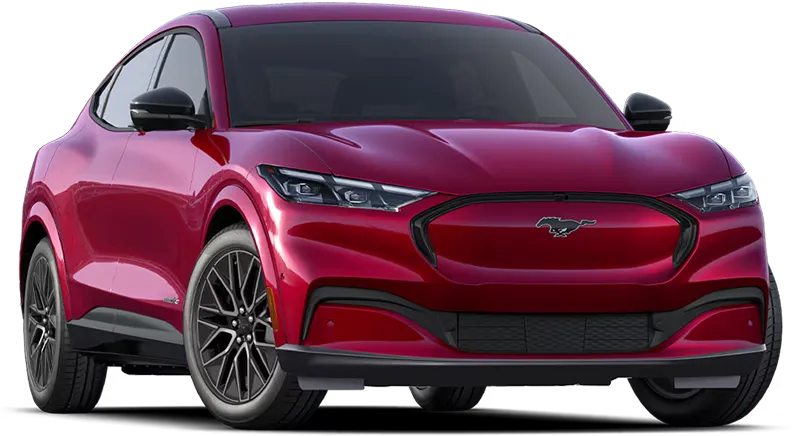
With the Ford app, you can:
- Monitor your EV’s current charge status in real time
- Find nearby charging stations on the EV Charging Information (Home & Public)
- Plan routes with charging stops along the way
- Schedule home charging sessions during off-peak hours to save money
- Track your remaining range and set charging reminders
These tools are designed specifically for models like the New Ford Mustang Mach-E Inventory, New Ford F-150 Lightning Inventory, and other models in the Ford Electric Vehicle (EV) Lineup Overview, helping you get the most from your all-electric driving experience.
Need help with your EV or want to schedule a checkup? Reach out to our Meet the EV Specialist Team for expert support.


How to Download and Set Up the Ford App
Getting started with the Ford™ App is easy and it only takes a few minutes to connect your phone to your vehicle.
Here’s how to set it up:1. Download the Ford App
Available for free on both the App Store (iOS) and Google Play (Android).
2. Create or log in to your Ford account
You’ll use this to manage all vehicle features and rewards.
3. Add your vehicle using your VIN
The VIN unlocks remote control features, vehicle health tracking, and more.
4. Activate Connected Services
Follow the in-app prompts to sync your vehicle's modem with your account.
Don’t have a VIN yet? You can still use the Ford app to locate dealers, explore service options, and access support tools.
Download the Ford app today and start experiencing smarter vehicle ownership.


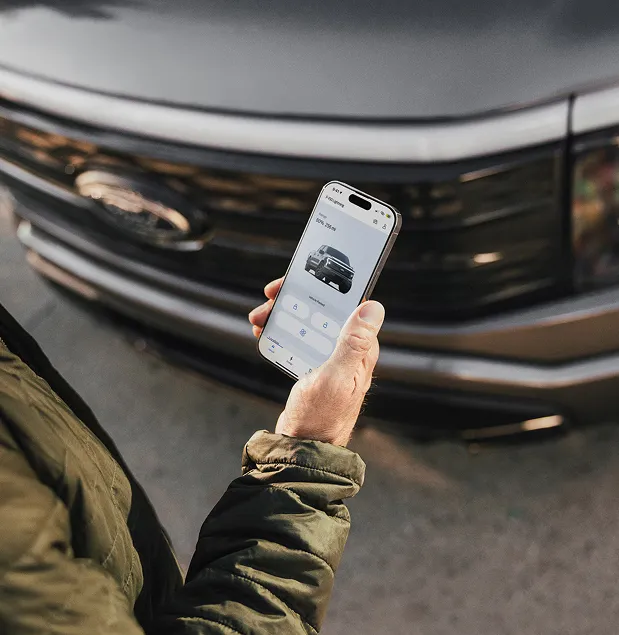
Experience Smarter Vehicle Ownership with the Ford App
The Ford™ App gives you more than convenience, it gives you complete control over your vehicle, smarter maintenance planning, and access to exclusive rewards. From remote start and service tracking to locating your vehicle or nearby charging stations, the Ford app keeps you connected on the go.
When you pair the Ford app with Dorian Ford, you unlock seamless dealership integration, expert support, and automatic Ford Rewards on every qualifying visit.
Start earning points and controlling your vehicle, download the Ford app today.
The Ford™ App – Frequently Asked Questions
What is the Ford app used for?
The Ford app connects you to your Ford vehicle, allowing you to control features, track service, earn rewards, and manage maintenance from your smartphone.
Is the Ford app free to use?
Yes, the Ford app is free to download and use. Some services may require a subscription after a trial period.
Can I start my Ford remotely with the Ford app?
Yes, if your vehicle is equipped with a connected modem, you can remotely start and stop your engine using the app.
How do I earn Ford Rewards points?
You earn points by servicing your vehicle at participating Ford dealers, purchasing Motorcraft parts, and buying or leasing a new Ford.
Can I use the Ford app on more than one vehicle?
Yes, you can add multiple Ford vehicles to your Ford account and manage them all from the app.
What features does the Ford app offer for electric vehicles?
Ford EV owners can track range, check battery status, locate charging stations, and schedule home charging through the app. For more, see our EV Ownership Frequently Asked Questions.
Does the Ford app track my vehicle’s maintenance history?
Yes, the app keeps a record of your past service visits and sends reminders for upcoming maintenance tasks.
Can I locate my Ford using the Ford app?
Yes, the Ford app offers GPS-powered vehicle location tracking for modem-equipped vehicles.
How do I add my vehicle to the Ford app?
Simply enter your VIN during setup to link your vehicle and unlock all available features.
Do I need an active modem to use the app?
Basic features like dealership search work without it, but an activated connected modem unlocks full remote control functionality.
Can I schedule service appointments with the Ford app?
Yes, you can Schedule Ford Service and book appointments directly through the app.
Is the Ford app compatible with all Ford vehicles?
Most modern Ford vehicles support the Ford app, though feature availability may vary by model and year.
Can I earn and use Ford Rewards at any Ford dealer?
Yes, points can be earned and redeemed at participating Ford dealerships nationwide.
Does the Ford app work with Apple Watch or Android Wear?
Yes, the Ford app offers compatibility with Apple Watch and select Android smartwatches for remote features and alerts.
Where can I download the Ford app?
You can download the Ford app for free from the App Store (iOS) or Google Play (Android). If you need help, check our Store Hours & Directions to visit us.
